1. 프로젝트 만들기
create-react-app 은 Webpack을 사용합니다.
1-1. CRA 와 Vite
| CRA(create-react-app) | Vite | |
| 번들러 | Webpack | ESBuild (dev), Rollup (build) |
| 실행 속도 | 상대적으로 느림 | 매우 빠름 |
| 설정 파일 | 숨겨짐 | 바로 수정 가능 (vite.config.js) |
| 사용성 | 무겁고 복잡 | 가볍고 직관적 |
이 글은 Vite를 사용해 React 앱을 시작하는 법을 작성합니다.
1-2. npm vs npx
npm create vite@latest app -- --template react
// 또는
npx create-vite@latest app --template react
// 또는 현재 디렉토리에 설치
npx create-vite@latest . --template react
// 타입스크립트
npx create-vite@latest . --template react-ts
npx는 패키지를 일시적으로 실행합니다.
create-vite@latest는 create-vite 패키지의 최신 버전을 다운로드해서 실행합니다.
npx의 순서
npm install create-vite@latest -g (임시)

create-vite . --template react
npm의 -- --template react 와
npx의 --template react 는 다음과 같은 차이가 있습니다.
| -- --template react | 실제로 실행될 패키지(create-vite)에 옵션 전달 |
| --template react | 현재 명령어(npx) 에 옵션 전달 |
npx가 create-vite@latest 실행하고 그 인자들을 직접 전달하기 때문에
--tempate react 를 붙이면 create-vite로 전달됩니다.
npm은 npm create가 내부적으로 npx create-vite@latest 처럼 동작하지만,
npm create 자체가 인자를 받기 때문에
-- 없이 --template만 쓰면 npm create에 전달되어 무시되거나 오류가 납니다.
그래서 중간에 -- 를 넣어야 create-vite로 넘어갑니다.
1-3. 앱 실행
다음 명령어를 통해 node_modules를 다운받습니다.
npm i
서버 실행
npm run dev
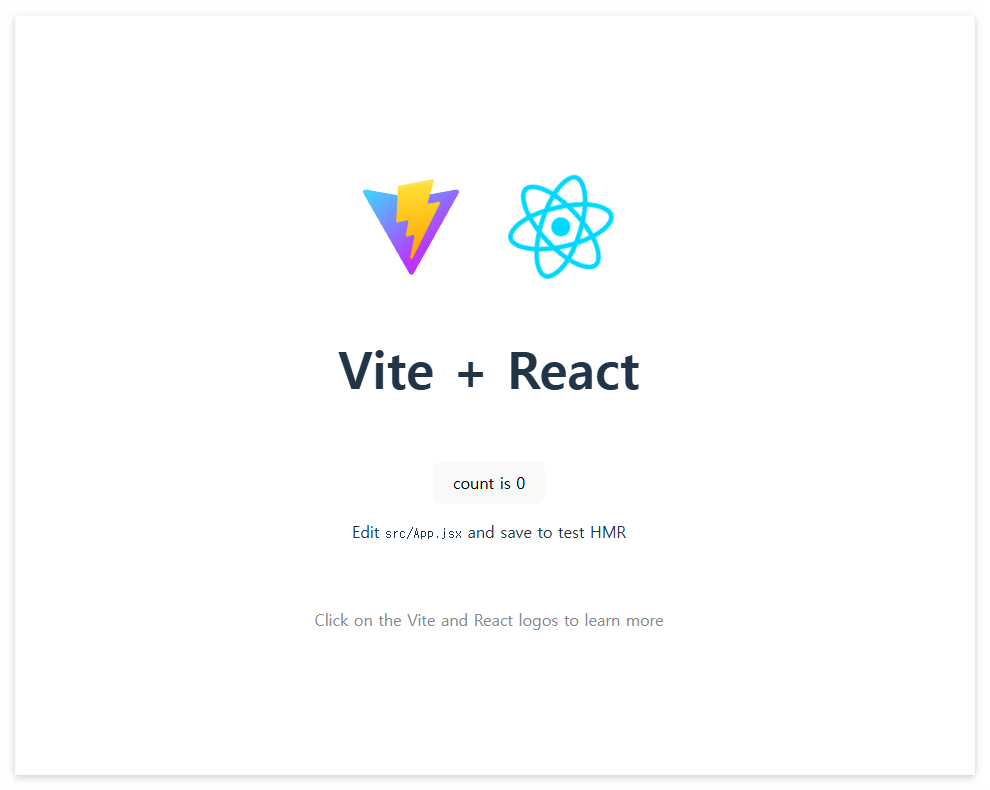
위 명령어로 서버를 실행하고 사이트에 접속하면 다음과 같은 화면을 볼 수 있습니다.
(http://localhost:5173)
2. 서버 연결 테스트
이제 서버와 연결해 볼 차례입니다.
서버는 Express 서버와 연결합니다.
import { useState, useEffect } from "react";

function App() {
  const [message, setMessage] = useState([]);

  useEffect(() => {
    fetch("http://localhost:3000/data")
      .then((res) => res.json())
      .then((data) => setMessage(data))
      .catch((err) => console.error(err));
  }, []);

  const style = {
    display: "flex",
    flexDirection: "column",
    alignItems: "center",
    justifyContent: "space-between",
  };

  return (
    <div style={style}>
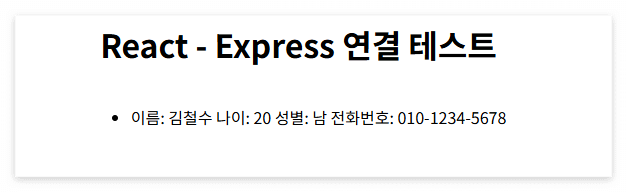
      <h1>React - Express 연결 테스트</h1>
      <div>
        <ul>
          {message &&
            message.map((item) => {
              return (
                <li key={item.id}>
                  이름: {item.name} 나이: {item.age} 성별: {item.gender} 전화번호: {item.phone}
                </li>
              );
            })}
        </ul>
      </div>
    </div>
  );
}

export default App;
위 코드로 실행하면
cors 오류가 납니다.
localhost/:1 Access to fetch at 'http://localhost:3000/data'
from origin 'http://localhost:5173' has been blocked by
CORS policy: No 'Access-Control-Allow-Origin' header is present on the requested resource.
cors는 서버에서 처리해주어야 합니다.
현재 이 프로젝트에 사용하는 Express 서버 설정입니다.
https://gingmin.tistory.com/95
[Express] Express cors
1. cors로컬 환경에서 테스트하기 위해cors를 전체 허용해주는 것을 해봅니다. cors 모듈을 다운 받습니다.npm i cors app.use(cors()) 로 cors를 전체 허용해줍니다.const express = require("express");const app = express(
gingmin.tistory.com
cors를 수정하고
네트워크 탭을 보면
데이터가 잘 들어오는 걸 알 수 있습니다.


그럼 다음과 같은 화면을 볼 수 있습니다.
'React' 카테고리의 다른 글
| [React] Nginx 로 배포하기 (1) | 2025.05.29 |
|---|---|
| [React] Vite 프로젝트 jar로 배포하기 (2) | 2025.05.28 |

